

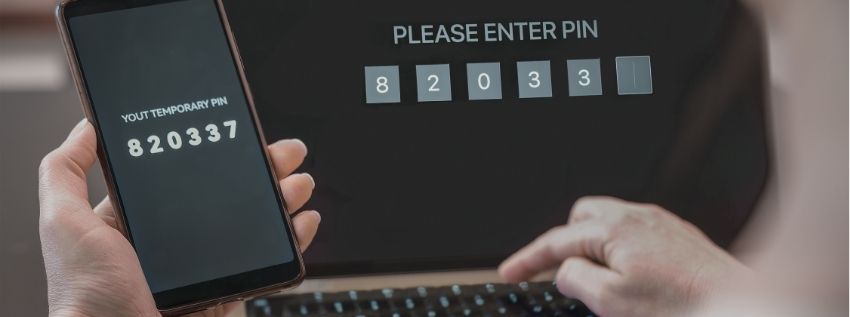
Protecting your personal and financial information requires more than a password alone. One of the most effective ways to help safeguard your accounts is by using multi-factor authentication, commonly called MFA. MFA is an additional security step that helps verify your identity when signing in or completing certain account activities.
With MFA, you can verify your identity using a combination of:
- A physical device such as a smartphone, security token, or smart card
- A password or PIN (Personal Identification Number)
- Biometrics such as a fingerprint, facial recognition, or voice recognition
MFA only adds a few seconds to the authentication process, but it provides an important layer of protection for your account. By choosing an authenticator app and following these best practices, you can help keep your account and personal information secure.
How Royal Uses MFA
Royal uses multi-factor authentication within online and mobile banking to help protect Member information. Depending on the situation, you may be asked to complete an MFA request when signing in from a new device, accessing your accounts from a new location, resetting your password, recovering access to your accounts, or completing certain account activities. These added protections help confirm that the person accessing your account is really you.
How Members Can Use MFA
Multi-factor authentication can be used for more than just your financial accounts! Many of the accounts you use every day offer MFA, including email, social media, online shopping, streaming services, healthcare portals, and work or school logins.
When choosing an MFA method, we recommend using an authenticator app whenever possible. Authenticator apps generate secure, time-based, single-use codes that refresh regularly and can often be used even when your phone does not have cellular service. Authenticator apps are available on iOS and Android devices and include built-in password or code management features. Authenticator methods are generally preferred over text message, email, or voice code verification because they reduce risks associated with account takeovers.
MFA Best Practices For Members
- Never share verification codes. Royal will never contact you and ask for your MFA code. If someone asks for it, do not provide it.
- Use an authenticator app when possible. This is generally the strongest and most secure option for everyday use.
- Keep your mobile device secure. Use a passcode, PIN, fingerprint, or facial recognition.
- Keep your device software updated. Installing updates as soon as they are available ensures that the latest security patches are applied.
- Keep your contact information current. Make sure your contact information - such as your phone number, email address, and mailing address - is up to date so you can recover access if needed.
- Pay attention to unexpected MFA prompts. If you receive a request that you did not initiate, do not approve it. Consider changing your password or contacting Member Service.
Take the Next Step
Like this article?
Sign up to get more articles by email.
Need help?
Schedule an office appointment.
Not a Member?
Open your account today.